 BUY
White Balance, Flash & Skintones
The Electromagnetic and Visible Light Spectrum
The electromagnetic spectrum covers a range of different types of electromagnetic radiation, including the visible light spectrum.
Visible light makes up a small portion of this spectrum but it is the section we are interested when it comes to taking photographs. Visible light is broken down into red, green and blue components by our cameras, and then built into a full colour image through a complex series of calculations.
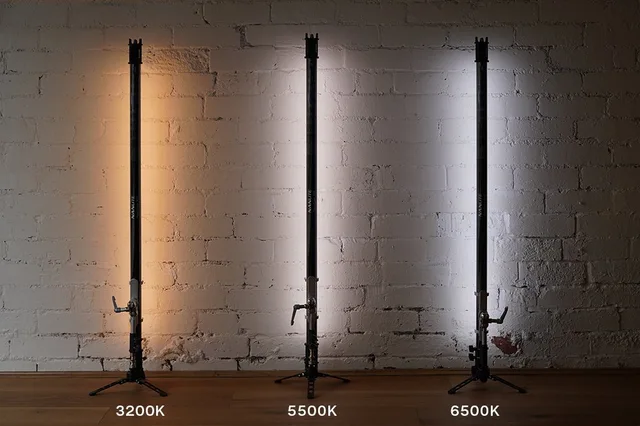
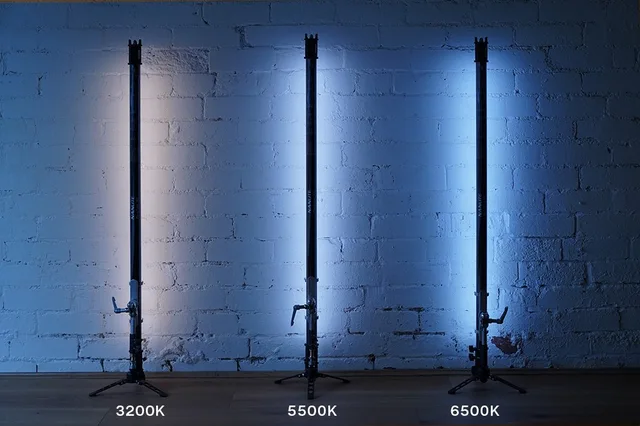
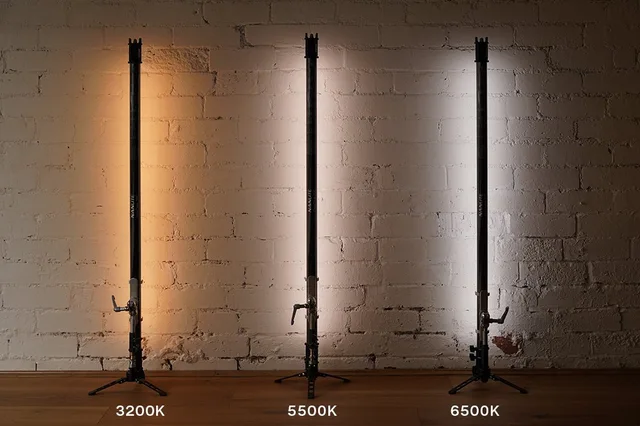
The colour of a light source will influence how the colours in a scene are perceived, with things taking on the colour of the light that illuminates it. A room lit by a candle or incandescent light, for example, will look orange. Our eyes adjust to these changes in colour to some extent, and our camera can take this a step further, rendering coloured light as neutral, or capture it as it really exists.
The appearance of white
White balance is a setting that adjusts the colour temperature of an image from warm (yellowish) to cool (bluish). It is normally designed to neutralise the colour of a lightsource so that it appears white in an image.
Introducing a light source into your photos, such as a 5500K speedlight/flash, can often make the colour of your subject’s skintone appear unnatural if you’re not setting your white balance correctly.
Many problems caused by automatic white balance (AWB) can be easily fixed in post production if you’re shooting in RAW but the nature of automatic is that your shots may vary in colour from photo to photo. If consistency is important for you then correcting this issue in post production can end up being very time consuming.
White balance modes
The easiest way to set white balance for flash photography is to turn your white balance from auto-white balance (AWB) to the in-camera profile for flash photography, generally represented as a lighting bolt symbol.
The flash white balance mode is commonly automatically set for many models of cameras when used in conjunction with an automatic flash power mode (such as TTL). The camera varies its recorded white balance based on the colour information it receives during the flashes initial fire.
Custom white balance
While AWB may give you a closer middle ground of colour between the flash and ambient light sources, if you are wanting to match the colour of the flash exactly, a custom setting will give you the most accurate and consistent results.
You’ll need to consult your flash manual to find out what the Kelvin rating of the flash is, however 5500K is suitable for most models. Some cameras will also let you adjust the green and magenta tint of your photos.
Testing the colour of a flash against a neutral surface like a grey card can also help you establish which custom white balance is most suitable for your specific unit.
Setting white balance
The white balance settings can be found in a few places on your camera. The first is your camera’s main menu, although getting to this option when trying to work quickly can be a tedious process. Most camera’s also allow changes to be made to white balance via the quick menu. The quick menu button is different between manufacturers:
Canon = Q or Q Set. Nikon = i. Sony = Fn. Olympus = OK. Panasonic = Rubbish Bin. Fuji = Q
Some models of camera will have a dedicated white balance button, which will be the easiest way to make adjustments on to go.
Correction gels
Correction gels are used to match the colour temperature of your flash to the colour temperature of ambient light in the scene. As an example, we’d use an orange gel to match a warm tungsten lights, or warm LEDs.
The method for choosing the correct white balance settings will change when using correction gels. Common gels included with flashes are Colour Temperature Orange (CTOs) and Plus Green gels.
CTO’s make the light from your flash warmer and are used to match the colour of the flash to tungsten light sources, while Plus Green gels give your flash a green tint to match them to fluorescent lights. As an example, a full strength CTO gel converts a flash’s colour temperature to around 3000K. The exact colour temperature can be found by checking the manufacturer’s specifications.
When to use correction gels
These gels don’t always need to be used when shooting in mixed lighting conditions, however they are useful for providing a more consistent look throughout the scene and making the light on your subject and background closely match.
When using a CTO or Plus Green, adjustments need to be made manually to your white balance to compensate for the change in the colour of your flash’s light.
Common Terms and Abbreviations
Gel - A gel is formed from coloured plastic and is put on front of a light source to change its colour. They often come in varying intensities, such as 1/4, 1/2 or full. They also reduce the maximum brightness of a light source, with more intense gels letting through less light.
CTO - Colour Temperature Orange. CTO’s make a light source warmer.
CTB - Colour Temperature Blue. CTB’s make a light source cooler.
Plus Green - Plus Green gels make a light source more green.
Minus Green - Minus Green gels make a light source more magenta.
K - Kelvin. A measurement used to convey the colour temperature of a light source.
TTL - Through The Lens. A term used for ‘automatic’ flash power mode