 BUY
Comparing Flash and Natural Light: Simple Product Photography (Part 3)
Producing fantastic product photos is essential for any small business. In the era of social media and the internet, photos are often the first interaction that customers will have with your products and that can mean the difference between customers stopping to buy or scrolling onto the next thing…
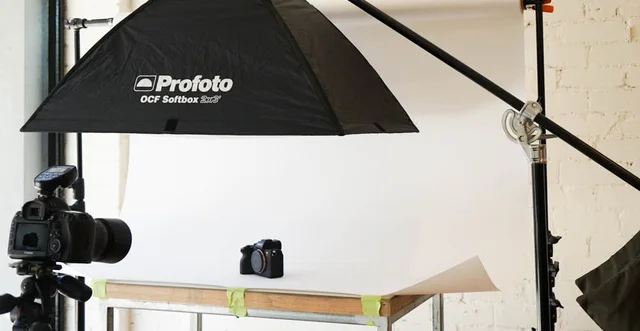
In the previous two articles we’ve talked about how to set up a product shoot using two simple setups: natural light and a single flash. However, which setup produces the best results? The answer to that question depends on how much time and money you want to put into your photographs and whether you’re comfortable editing your photographs after they’re captured.
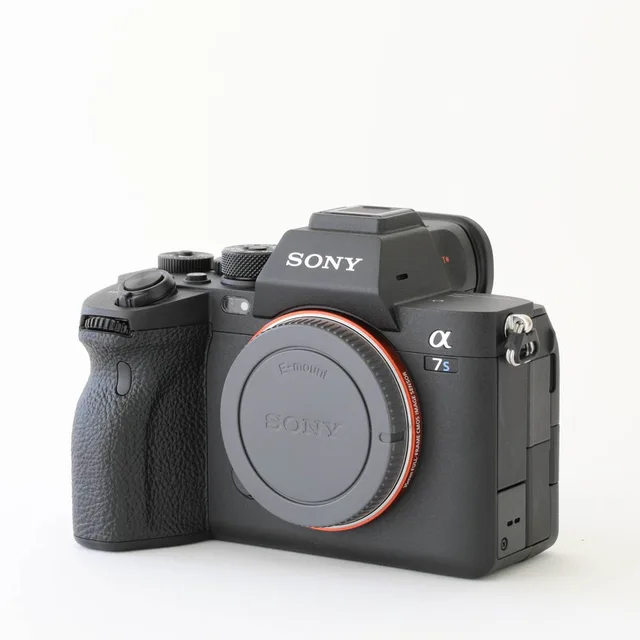
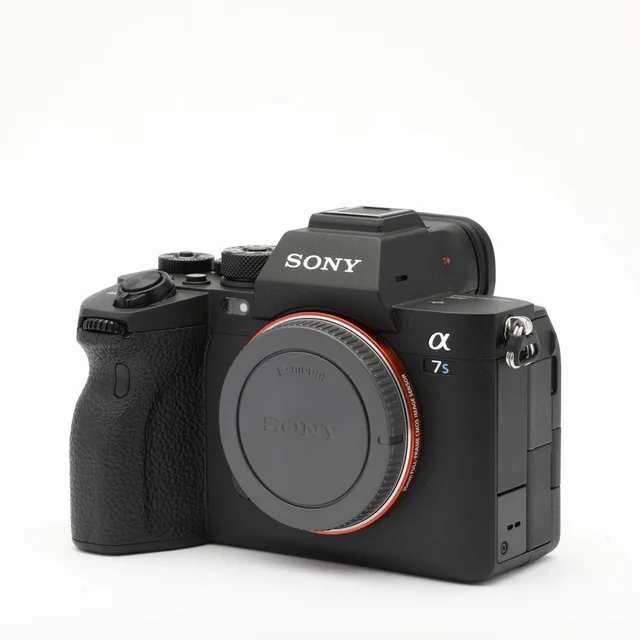
For this series we captured two photos of a Sony a7S III, one with natural light and one with a flash. Our aim was to create a setup that could be replicated by someone with little or no photographic experience to produce an image with a clean, evenly lit background that could be used for ecommerce. We wanted to produce the best result in-camera such that no editing would need to be done in post-production (although we’ll talk about this more later). The resulting images, straight from the camera without any alteration, are found below:
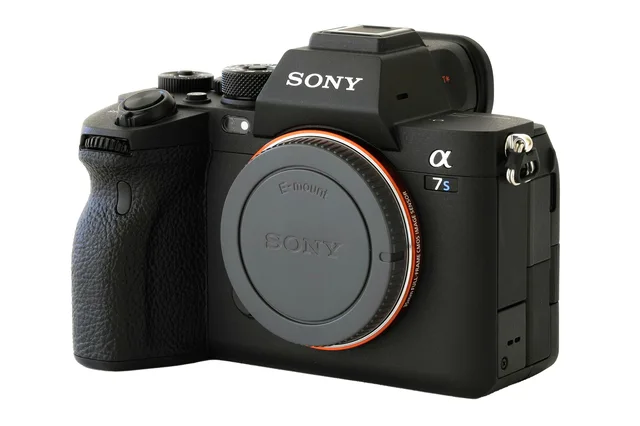
Using natural light
The product in this setup looks washed out, a result of trying to push the exposure to achieve a white background. While we could have darkened the image to make the blacks a bit richer, we’d end up with a dull grey background by doing so. However, the direction of the lighting does look acceptable and creates some depth and contrast amongst the details of the camera. There is a slightly cool tint to the front of the product and a warm tint to the back of it, caused by a change in the colour of the light as it was reflected around the room.
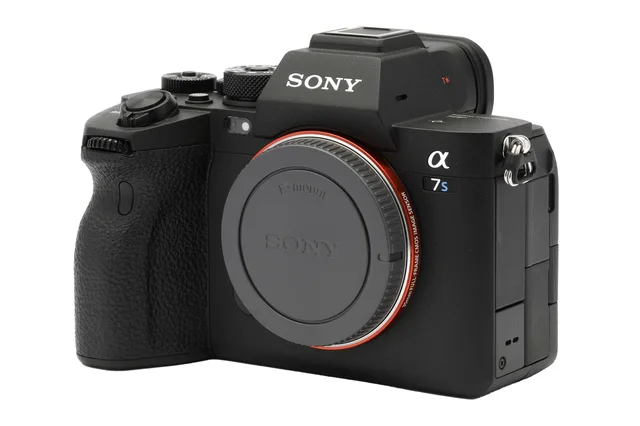
Using flash
The product in this setup looks correctly exposed and the blacks look, well, black. We’re seeing a nice, even light across the camera however even with the bounce cards the front is still a little dark. If we had some larger, thicker cardboard this may have helped but currently the front of the product doesn’t have as much ‘pop’ as the side lighting of the natural light image. The colours of the product look accurate and natural, with no discernible tint.
Analysing the Background
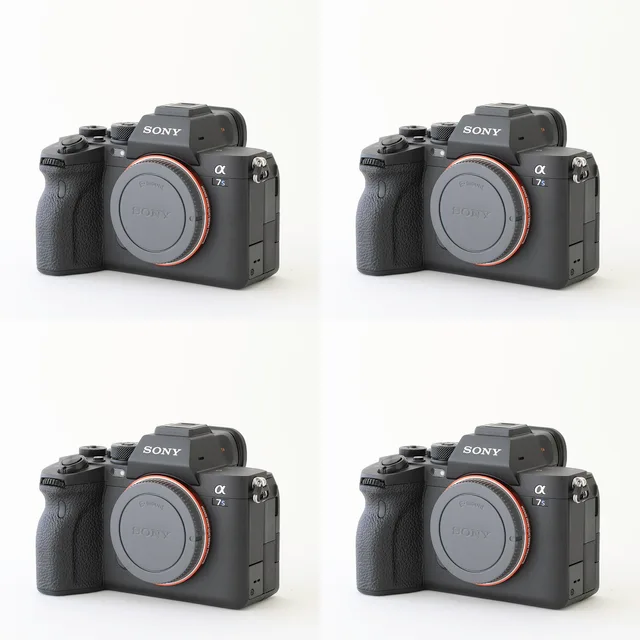
Analysing the background using natural light
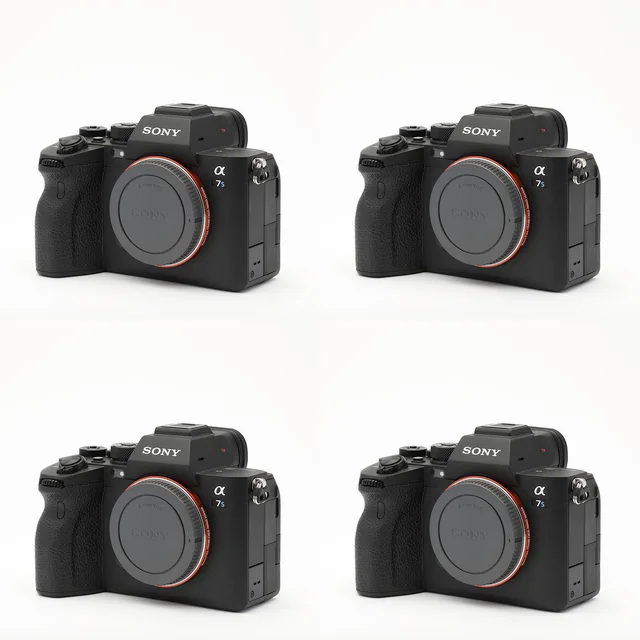
Here we see the same version of the natural light photo four times. While the background looks okay as a single image, there is quite a lot of falloff in the background of this image. This becomes particularly obvious when arranged into a grid, such as you’d find on web stores or Instagram. This inconsistency in the layout gives the images an amateurish feel.
Analysing the background using flash
Here we see the same version of the flash photo four times. The background is almost perfectly even, with some slight falloff from top to bottom. The images arranged as a grid appear much more consistent than their natural light counterparts and present a more cohesive set of products.
The clear winner here is the flash setup, which provides a clean and consistent look with minimal effort. What’s more, this look can be perfectly replicated time and time again for any number of products, and can be set up months or days down the track and still achieve the same look.
Editing
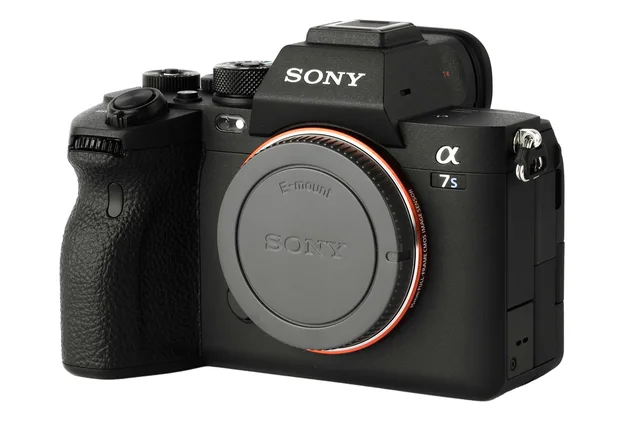
The setups described in these articles were designed in a way that someone with little to no photography experience could capture nice looking photos of their products. However, editing goes hand in hand with photography and many professional photographers will do some level of post-processing to their images after they’re captured. So, what happens if we edit the above two photos? The answer to which is best becomes a little less clear cut. Here are the photos after some basic product editing, including: contrast and exposure adjustment, white balance correction, deep etching and cropping. Each image has had the same kinds of adjustments, though in differing amounts.
The natural light photo arguably looks better! There is still some inconsistencies with the colour, however the image has more ‘pop’ than its overhead flash counterpart and the deep etching has removed any inconsistencies with the background. The reason for this is the side lighting, which is bringing out more contrast in places like the text on the body cap.
So does this mean natural lighting is better if you are wanting to edit? Well, the answer to that is still no. The big drawback of natural light is the inconsistency between initial images, so while things have worked well for one photo, over many photos the editing process becomes convoluted and tedious.
It is also easy to mimic the side lighting of the natural light image by simply moving the flash to the side of the camera, rather than above it. The reason the light was first put above was so that the background was evenly illuminated, however if we are removing this anyway then we can simply move the flash to the side of the product. This means we get all the benefits of using flash while also creating interesting lighting.
Conclusion
The best lighting setup for you and your products will depending on your skillset, budget and how much time you are willing to put into editing. If we were to rank the setups covered in these articles, the best method would be:
- Using flash from the side if you are editing your images
- Using flash from above if you don’t want to edit your images
- Using natural light and editing if you are working on a tight budget
If you are still unsure what setup will be best for you, or want more advice on the right equipment to hire for a product shoot get in touch.